
- Go to the Dubai Rest app or the DLD website
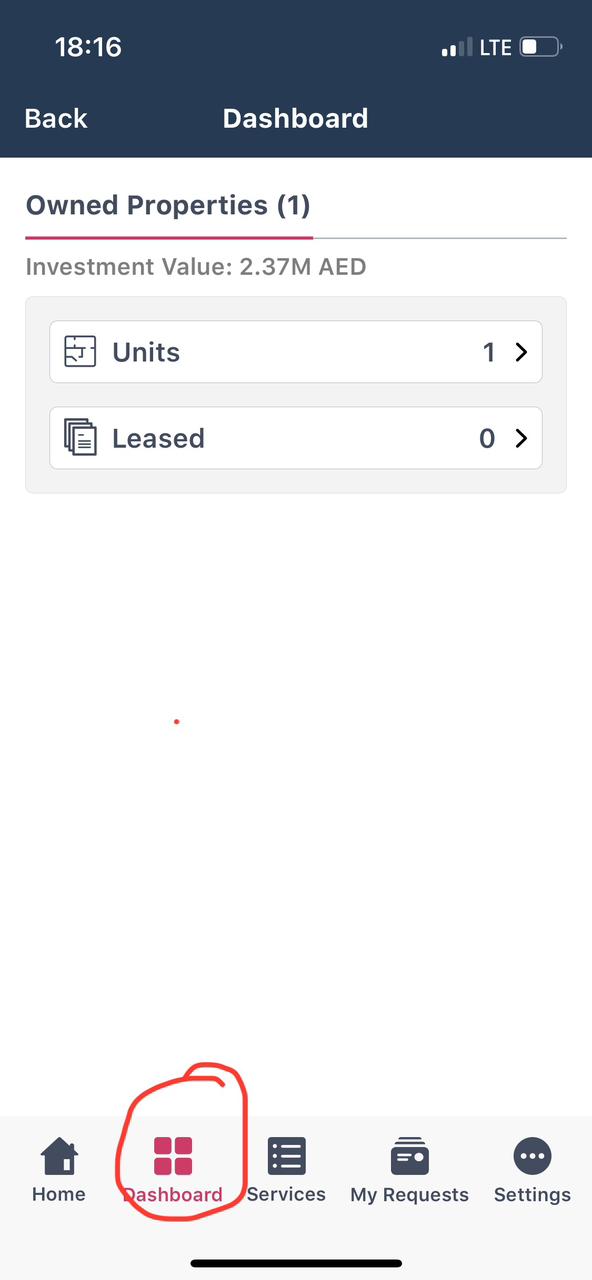
- Select ‘Dashboard’
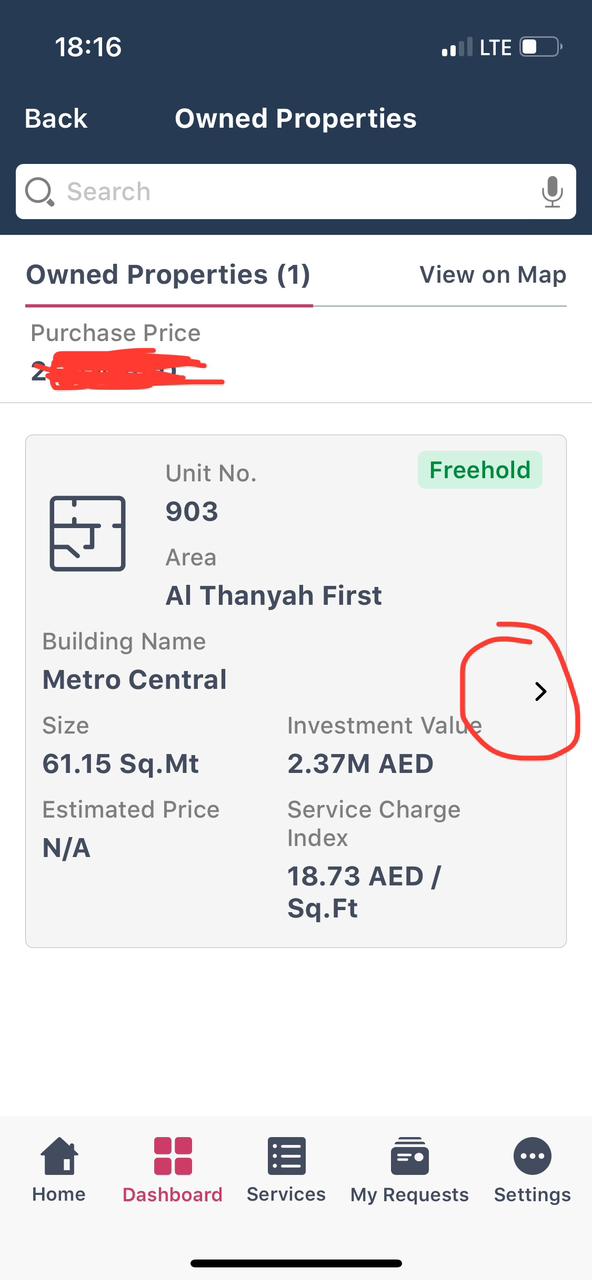
- Select Owned Properties, select the desired flat
- Click on the ‘Details’ arrow
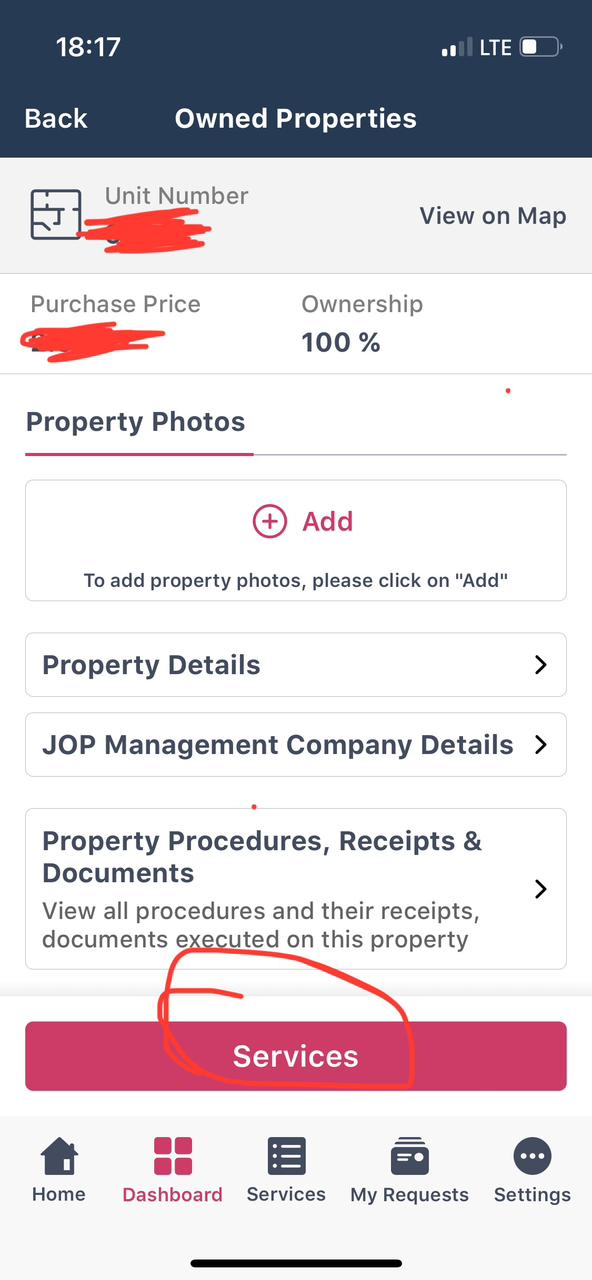
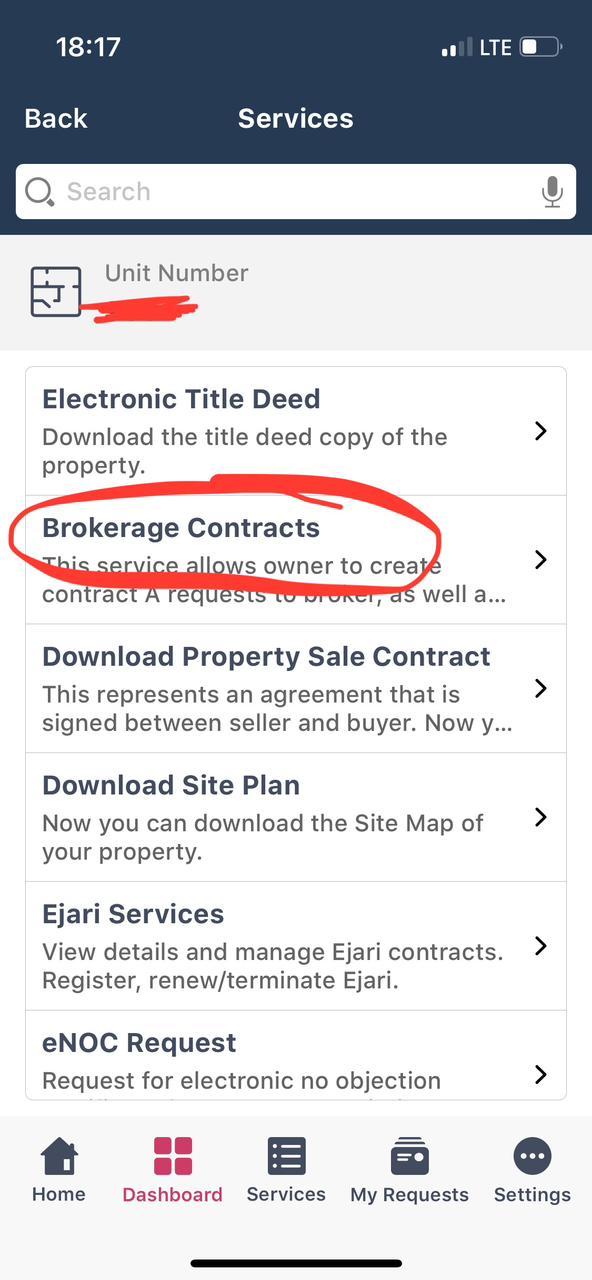
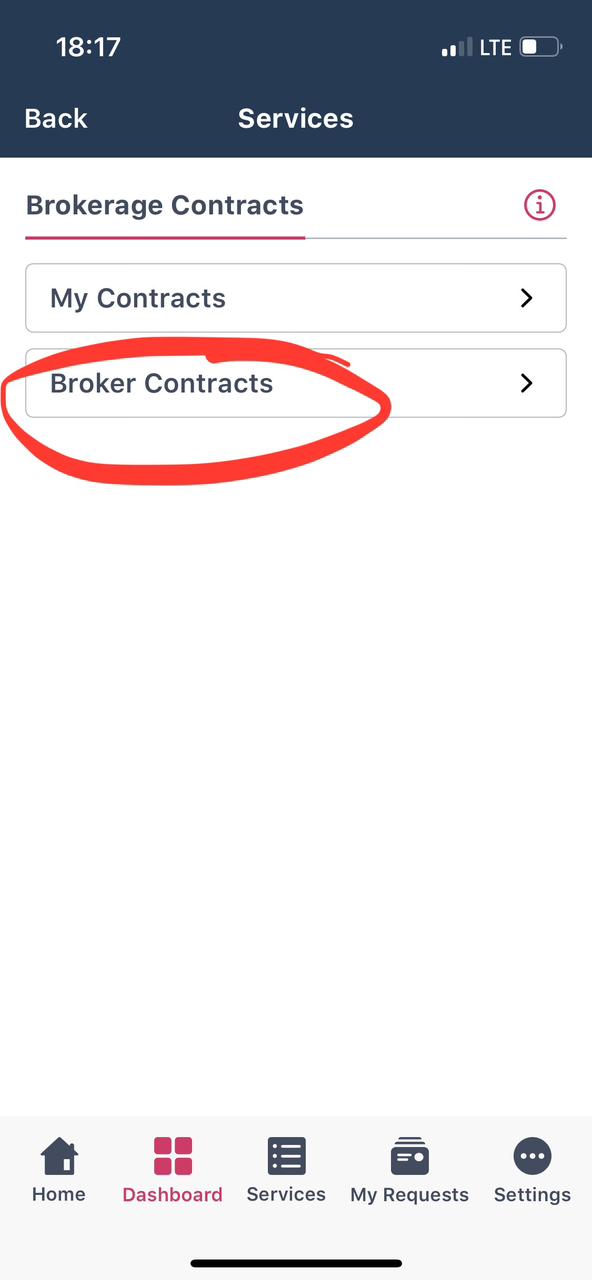
- Select ‘Services’ – ‘Brokerage Contracts’ – ‘Broker Contracts’.
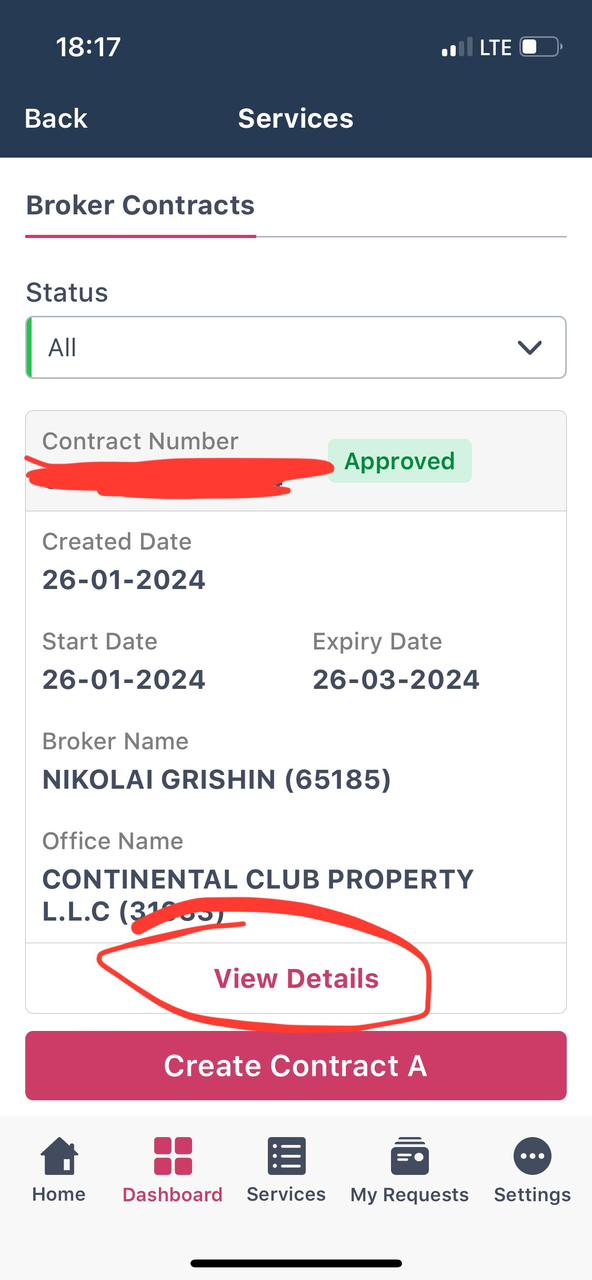
- Select the desired Agent
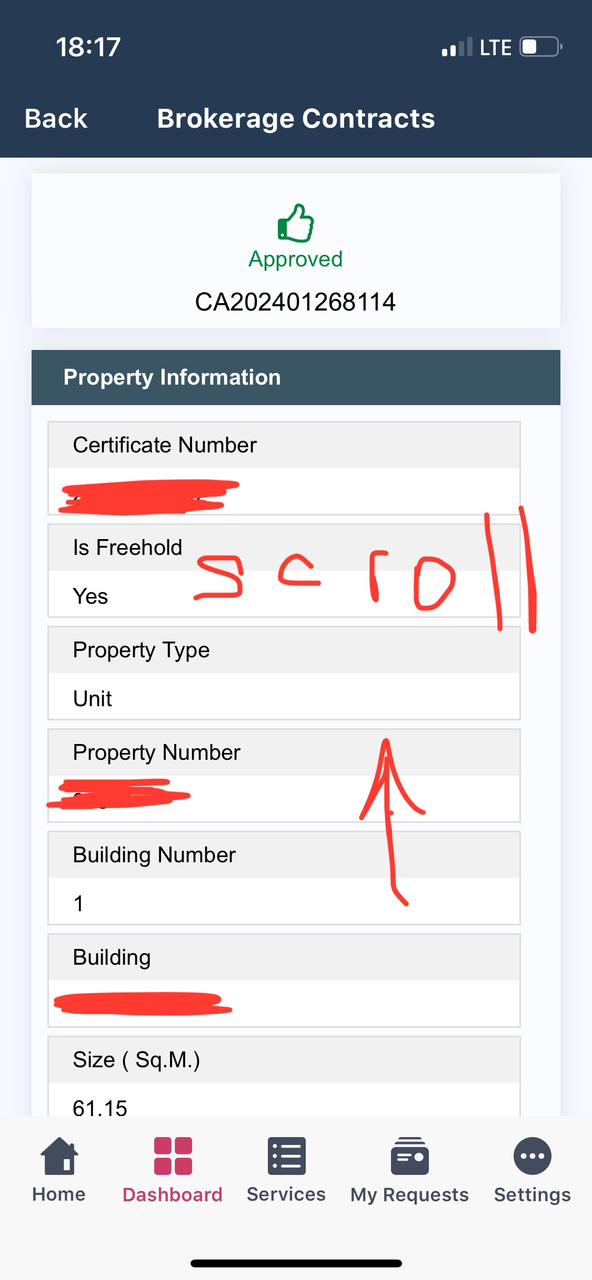
- Scroll down and select ‘View Details’.
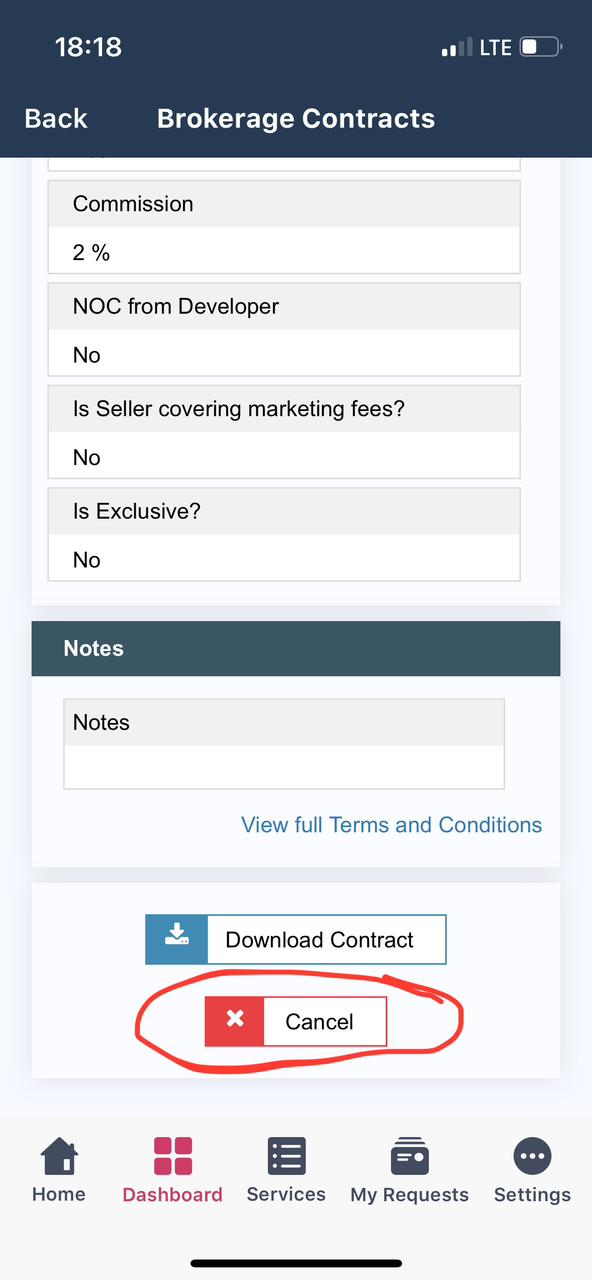
- Press ‘Cancel’
How the owner signs Contract A in the first place: How to sign Contract A in Dubai.
PDF shortlist · updated 27 October 2026
New Dubai projects of October 2026
30 projects · prices from DLD and developers
30 more in the PDF: prices, handover dates, payment plans
The PDF opens instantly. Refreshed monthly from DLD data.